Zerna Wealth
Every pile of money in one place
Your own money, the household budget, a trip, a small shop — each in its own book, shared only with the people it concerns, and still read together on one page.
Three things that make it more than an expense tracker
Several piles, kept apart
The house, a trip, a shop and your own spending live in separate books with their own categories and their own reports, and still add up to one picture when you want it.
Share the book, not everything
Invite a partner, the people on a trip, or somebody who works for you, into the one book they need. Books you have not shared stay yours, and a private account is invisible to everybody else.
Three taps and it is written down
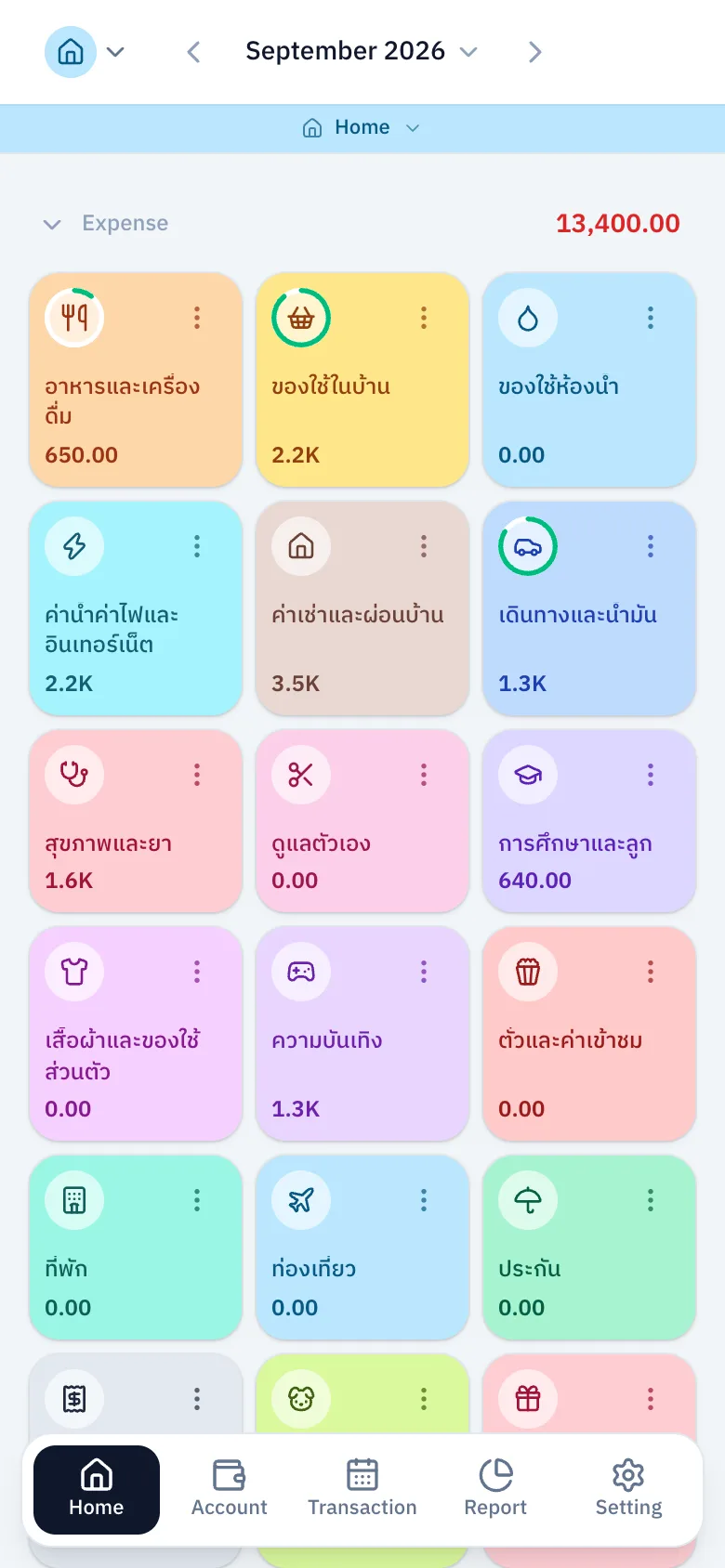
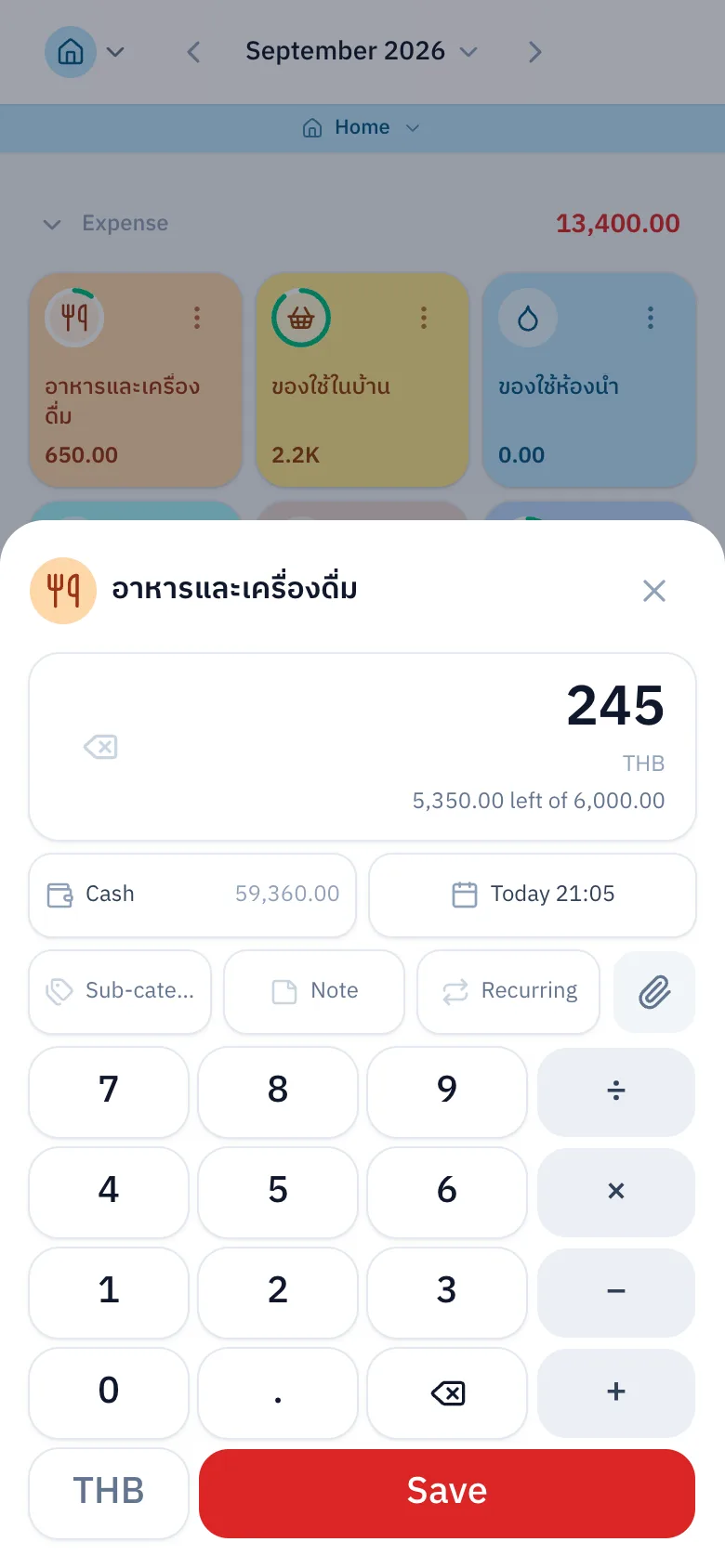
Tap a category on the home screen, type the amount on a keypad that does the arithmetic, and save. No menu to open first.
Everything it does today
Counted off the running app, not off a plan
Writing it down
- Tap a category on the home screen and be done in three taps
- A keypad that adds, subtracts, multiplies and divides
- Account, sub-category, date, time and note in one sheet
- A calendar of its own for backdating, to the minute
- Enter an amount in another currency and have the rate applied
- Override the exchange rate on a single entry
- Refuses to spend more than a debit account holds
- Edit an entry later, including which category it belongs to
- Five seconds to undo a deletion
- Attach a receipt, open it full screen, take it off again
- A default account remembered per book and per person
Accounts and balances
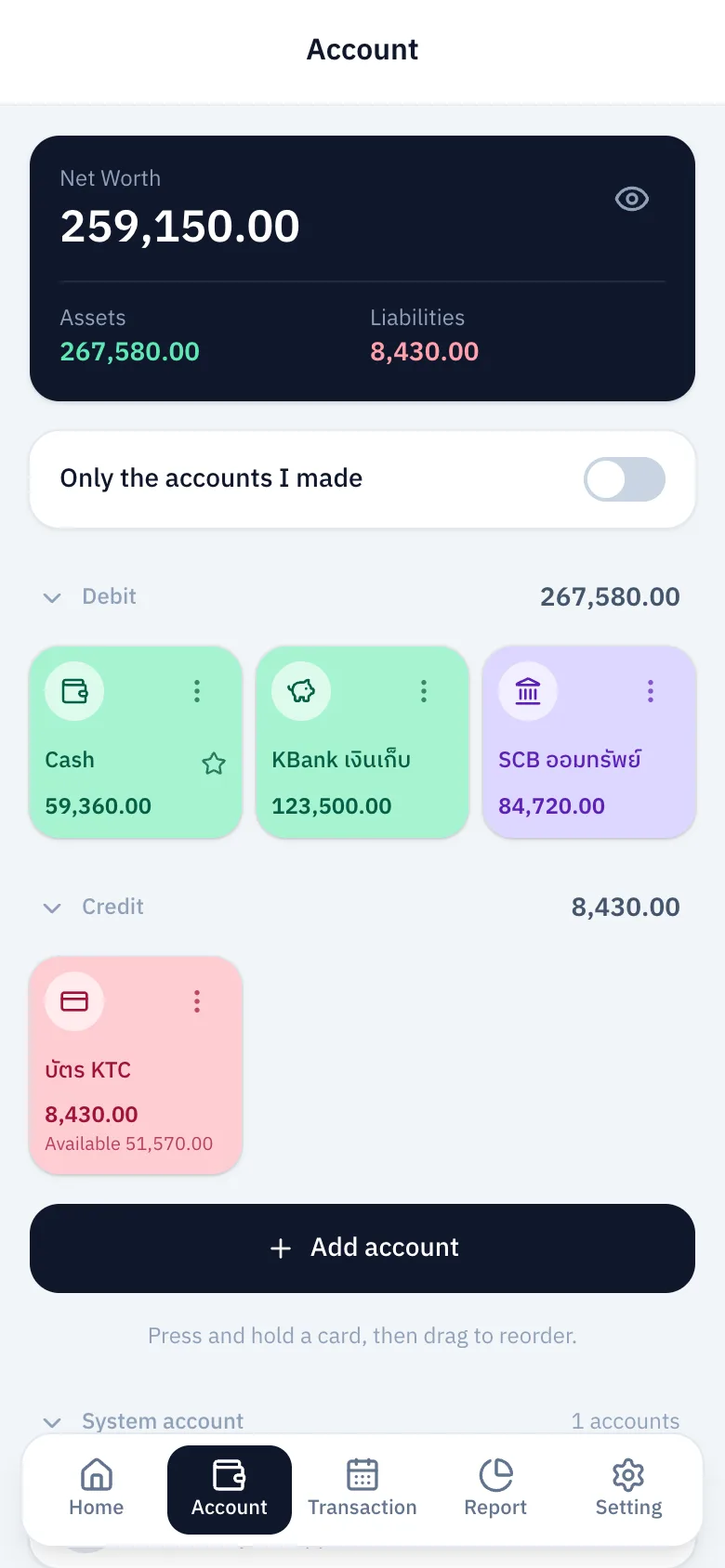
- Add, edit, delete and reorder accounts yourself
- Account types for savings, credit cards and cash
- Change an opening balance and it writes an adjustment rather than rewriting history
- Several currencies, each account holding its own
- Assets, liabilities and net worth, converted for you
- Hide one balance, or every balance on the page, with one button
- Choose which accounts count towards your assets
- Private accounts, invisible to everybody else in the book
- Filter to the accounts you created, list and totals alike
- Per-account activity: in, out, net, by day, month or year
- An outside account, for money entering and leaving the household
Credit cards
- Statement day and credit limit, with cycles named after the real cut-off
- Pay a card down, splitting it across several accounts at once
- Tick a statement off against the paper one, twelve months back
- Warns when a change of date moves an entry into another cycle
Transfers between accounts
- Move money between your own accounts, either direction
- A transfer fee is an entry of its own, with a category
- Add, change or remove that fee afterwards
Books and categories
- As many books as you need, each with its own icon, colour and currency
- Switch books from the top bar, or swipe across the home screen
- Categories and sub-categories, from two hundred icons and twenty colours
- Ready-made category sets for a household or a business, one at a time
- Three ways to delete a category: on its own, moving its entries, or taking them with it
- The book's owner decides which accounts that book can see
Sharing a book
- Invitation links expire, can be revoked, and are shown once
- Invite by QR code, and scan one to join
- Three levels per book: owner, manager and member
- Every entry says who wrote it, every account who made it, every deletion who did it
- You may edit the entries you wrote
- A manager can read another person's account activity
Budgets
- Monthly or yearly budgets, per category
- A ring on the category card: green, amber, red
- What is left of the budget, shown while you are typing the amount
- Monthly and yearly totals at the top of the page
Repeating entries
- Weekly, monthly or yearly, for a set number of times or forever
- They appear on the day, and catch up on any that were missed
- A banner on the home screen when one is stuck for want of money
Reports
- Twelve periods of trend, income against spending, with the change each time
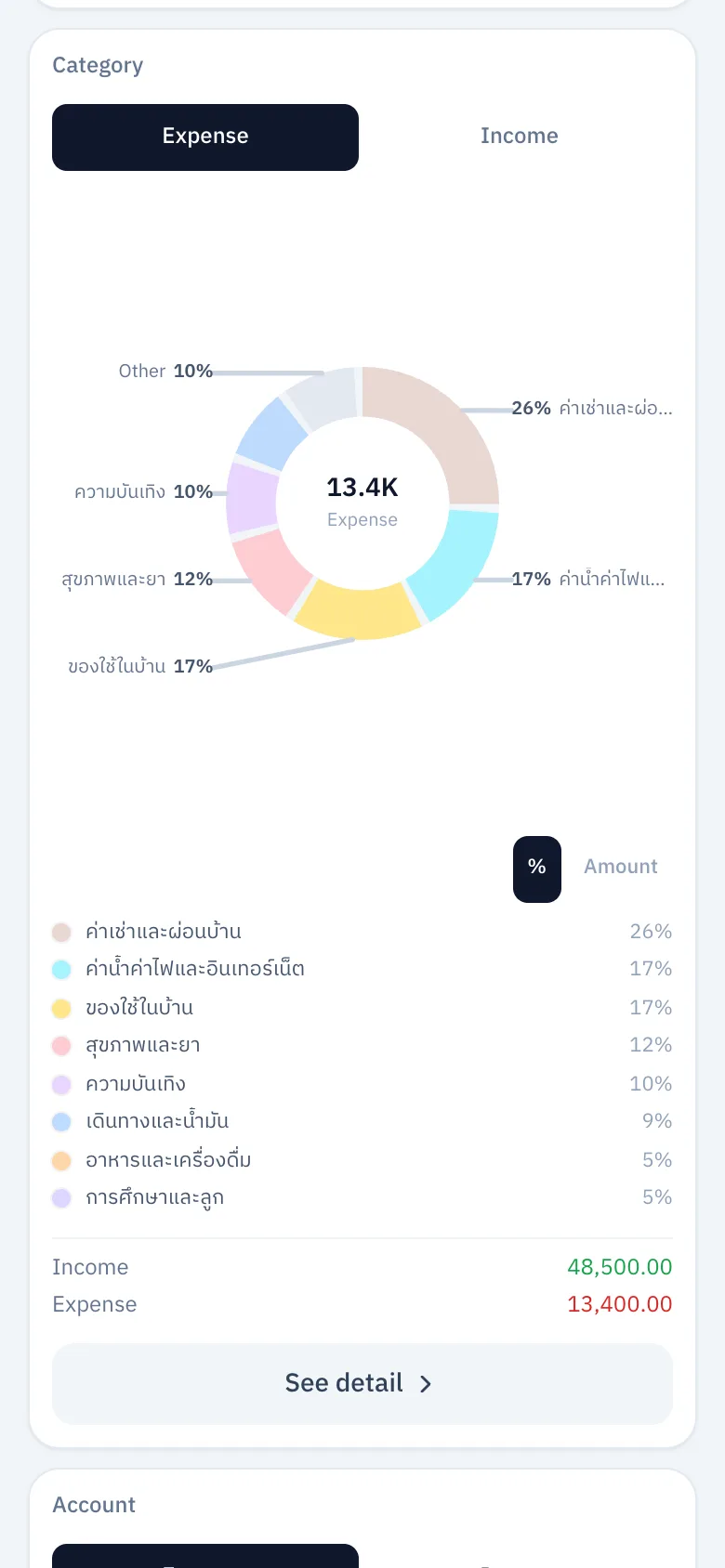
- Doughnuts by category, person and account, switching between share and amount
- Assets and liabilities, with net worth plotted backwards
- A custom report with eight filters and five ways to group
- A six-period summary table, with a budget column
- Export to CSV
- Day, week, month, year, a range of your own, or all of it
The calendar
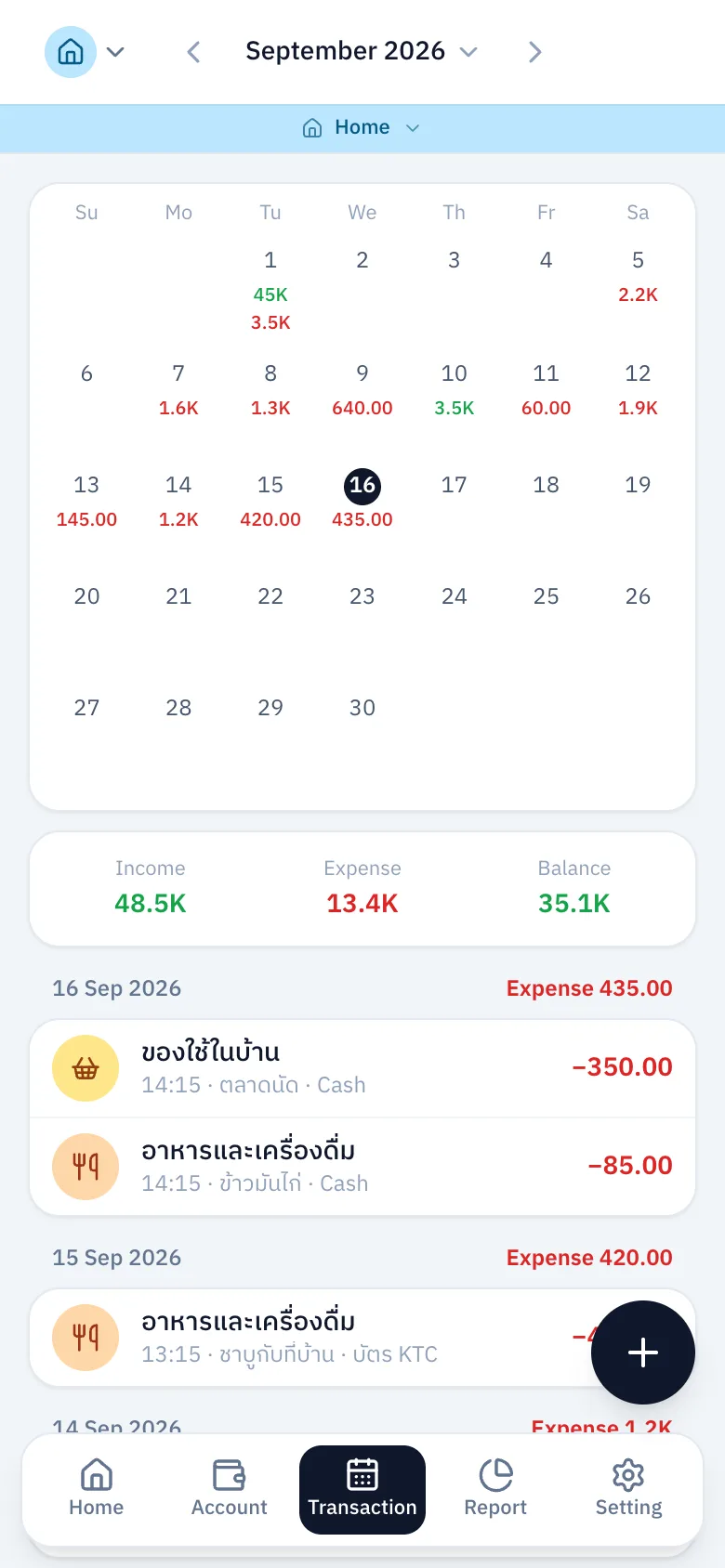
- Weekly, monthly and yearly calendars with the day's total in the cell
- Read a single day without losing the period you were looking at
- A "today" button that appears only when today is out of view
- Fifty more entries at a time
Reading with AI
- Attach a receipt and have the amount read off it, filled in only if the field is empty
- Compares the receipt against what you typed, and says so rather than refusing
- Write "lunch 60 baht" in LINE and it is recorded
- Send a receipt to LINE and it is recorded
- Change which book you are writing into, from the chat
- A settings row showing how much of the month's allowance is spent
With LINE
- Sign in with a LINE account
- Connect or disconnect LINE yourself, in settings
- A rich menu that opens the app from the chat
- Ask for a password reset link through LINE
- Sign up with LINE
Settings and the rest
- A thirty-day bin, restoring categories and accounts along with an entry
- Thai and English, with the Buddhist calendar when read in Thai
- Three text sizes, applied to the whole app
- Your own timezone, which every period is counted in
- Display name, password, and your own default account
- Add it to a home screen and open it like an app
- Collapse the blocks on the home screen, remembered on that device
Being built, not here yet
Written down so you know what is coming, not as a reason to sign up today
Valued assets and investments
Coming soonGold, shares, funds, land and a house, counted towards net worth.
Zerna AI, asked in your own words
Coming soonAsk how much is left in an account and get an answer from your own figures.
What this is not
- It does not connect to your bank. Every entry comes from somebody writing it down or sending a receipt.
- It is not accounting software: no chart of accounts, no financial statements, no tax invoices.
- It sends no push notifications, neither through LINE nor through the app.
One book is enough to start
The free plan has no time limit, no cap on accounts, and room for one other person in a book.
Start free